+48 22 104 20 98
Client
Elinext is an international custom software development company. As a tech company, we always have to be online, and the infrastructure should never be harmed. Early detection of any malfunction drastically helps to minimize the damage.
We develop lots of software pieces that help us with everyday operations, and network monitoring software is also one of them.
Project Description
Network Monitoring is a web solution aimed at identifying issues in the operation of numerous IT infrastructure services and notifying users about the issues.
The solution uses the concept of a standard health check application: monitoring provides insight into the health of services in near real-time. It was developed mainly to minimize time and material losses caused by late detection of failures and malfunctions.
Among the key features the web application consists of are user role management, projects, services, and metrics management. Stats and notifications have also been implemented.
Challenges
Previously, the company did not have an application that could define issues in the IT infrastructure, for example due to a power outage, and promptly notify administrators about it. Therefore, we could find out about issues later than we could have, and the decision was made to develop such a system for the company.
Process
At the moment, we are entering the second phase of development beyond MVP. The team can highlight the following stages:
Phase 1: November 2022 - December 2023
MVP development: renew the existing web application. The team had to develop a new UI/UX design from scratch and refine all the modules the application consisted of.
Phase 1.1: January 2024 - March 2024
Since the beginning of 2024, several refinements have been made. Alongside many UI improvements and code refactoring, these were the changes the team worked on during Phase 1.1:
- Added the ability to copy metrics within one service
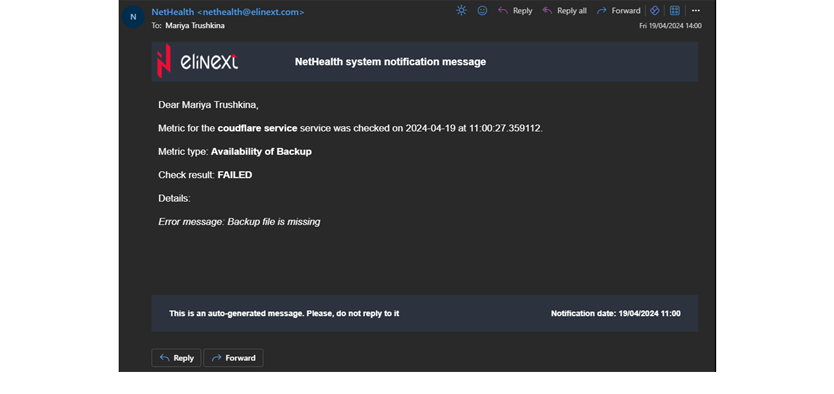
- Added metric check results to email notifications
- Removed the Responsible project admin role from the Project model
- Removed service types and the URL/IP field from the Service model
- Made updates connected with migration to the Identity Server version
Phase two is upcoming. The entire scope has not been clarified yet, but it will include UI refinements, the possibility of making columns visible or invisible, implementation of SNMP protocol for metrics checks, and other features.
- Implementing Telegram notifications
- Scanning internal sites for broken links
- User group management
During the first six months of the project, the team used Scrum with two-week sprints. Then we decided to use Kanban, which was more convenient because of the ever-changing availability of the development team. We kept using some Scrum entities, including daily meetings and retrospectives.
Throughout all phases, the team was always searching for improvements in the user workflow and UI. That resulted in a much more user-friendly UI than it was initially.
We could have released MVP earlier because the team was constantly understaffed during the testing phase while members were working on external projects. In the end, we quickly prepared for release thanks to the strong QA engineer who joined our team.
Solution
The solution is an internal web system with simple IT infrastructure monitoring functions and alerts when something goes wrong. Here is a short description of the main modules and features.
Module One: Project
The project is the main object in the system. A project contains several services, and a service contains metrics that need to be checked. This hierarchy helps divide a considerable number of metrics.
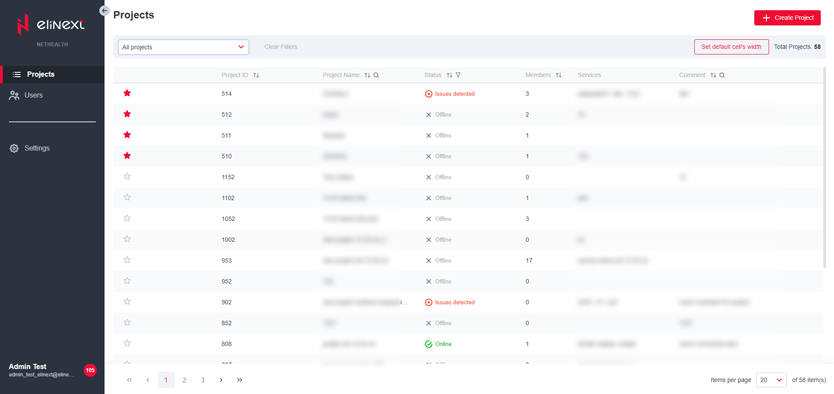
In the projects grid, the user can quickly observe the state of all objects overall: every project inherits status from the services inside it.
The module includes:
- View all projects in a grid
- Filter and sort information in the grid columns
- Filter the grid by favorite and all projects
- Adjust column widths and reset them to default
- See the project status
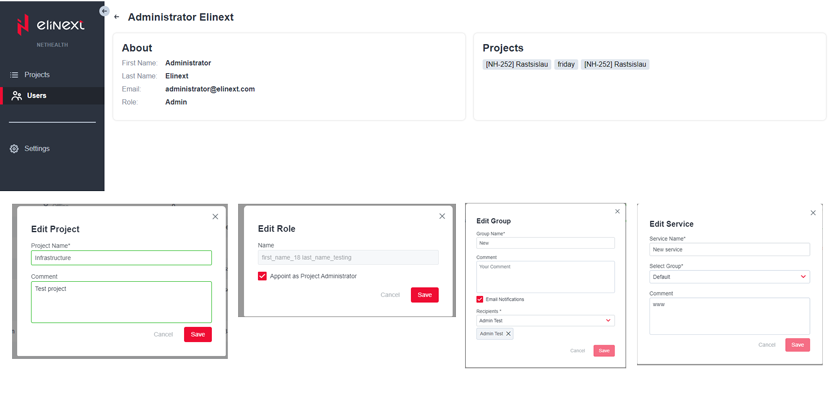
Users can also create, read, update, and delete projects, and specify project information in comments.
Feature: Member Settings
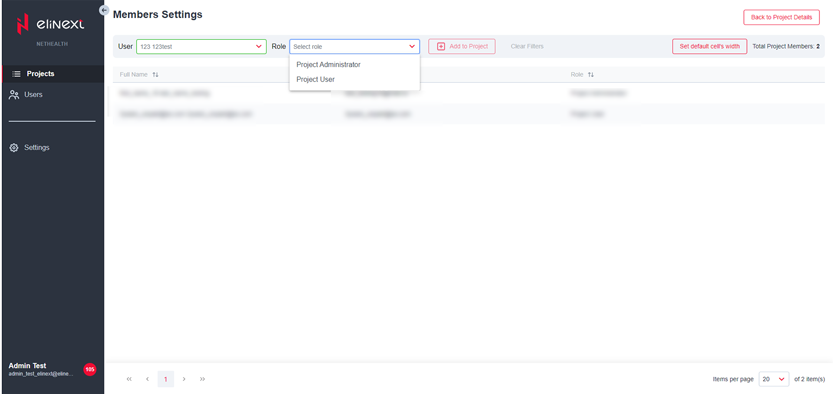
Admins grant access to projects to users from the identity server via this feature.
Here they can manage a member list, view all members in a grid, filter information in the grid columns, and adjust column widths. Admins can add and delete members, as well as edit their roles. The administrator does not need to create an account manually: they select a person in the dropdown and assign a project role.
Feature: Groups Settings
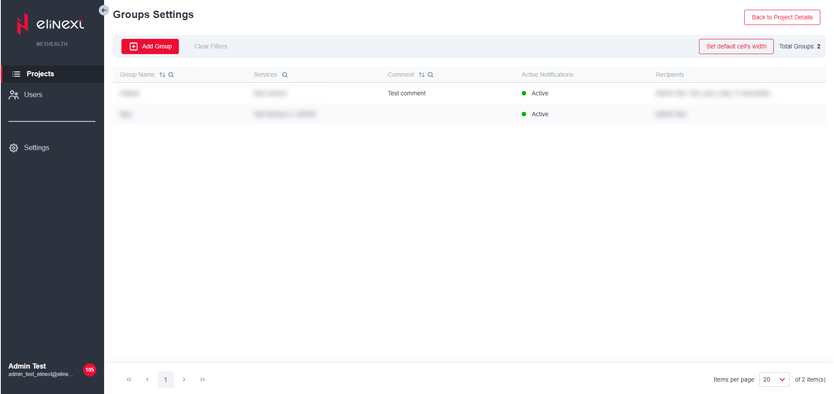
This is an opportunity to divide a wide range of services into several groups on any grounds. Group settings allow users to enable or disable notifications for services and select specific notification recipients among project members.
Feature: Services
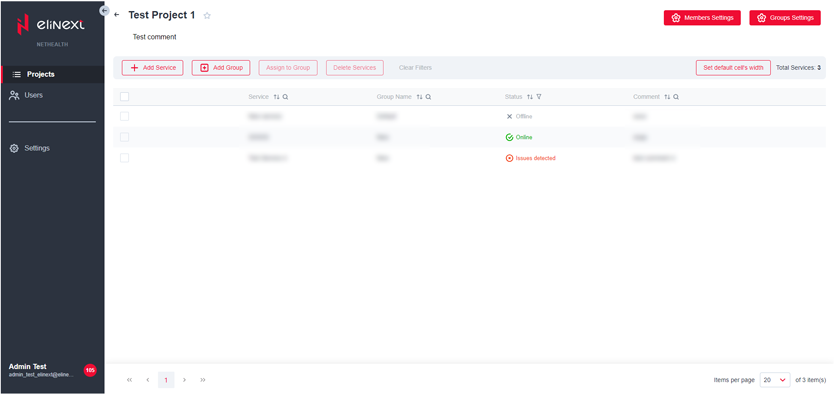
Each project may have several services that are monitored. This feature makes it easy to observe service general info, status, and groups. It helps control notification delivery and adds filtering for a wide range of services by group.
Basically, the feature enables viewing services in a grid, filtering and sorting information in the grid columns, and assigning services to groups.
Feature: Metrics Checklist
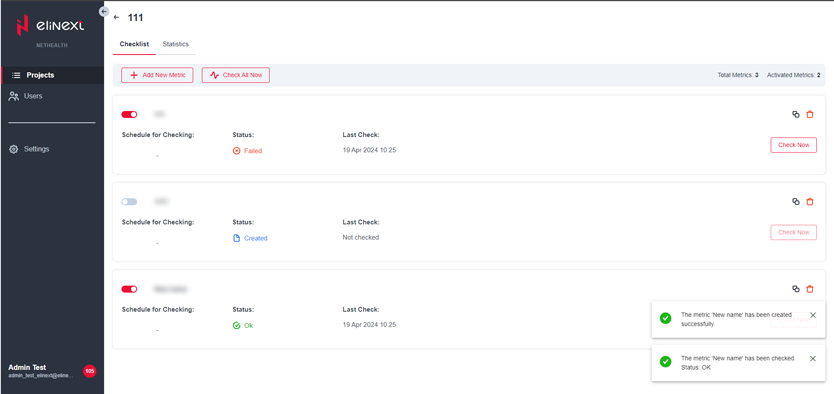
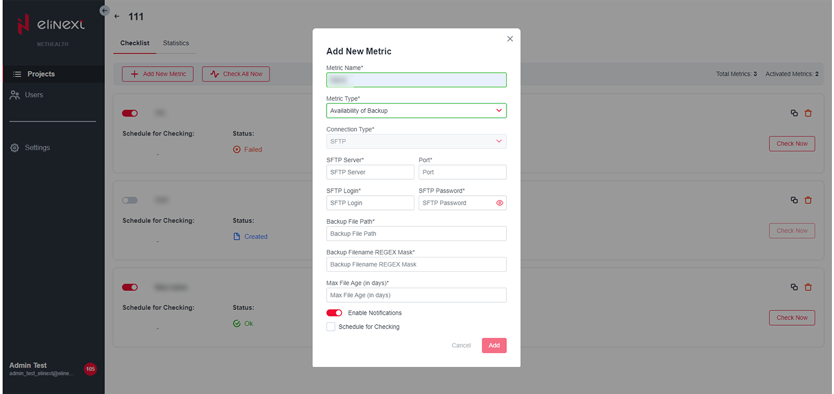
The user can add and monitor various metrics related to the service. The admin can set the schedule once and then receive notifications when something goes wrong, or check one or all metrics manually to see the latest updates.
Users can copy existing metrics and rename them.
Feature: Stats in Table View
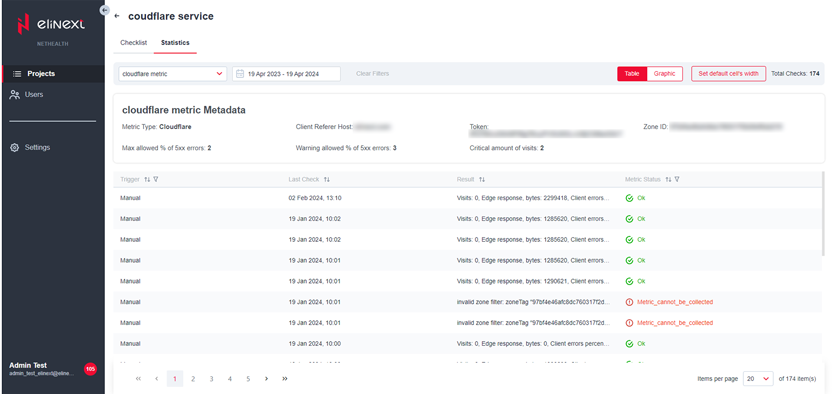
The table view of statistics helps observe the dynamics of metric checks in detail. The user can filter statistical data by status or trigger and make specific conclusions based on returned data.
Feature: Stats in Graphic View
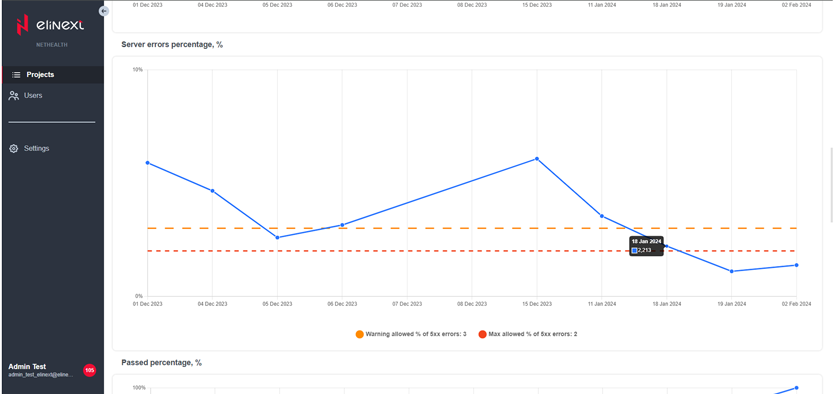
The graphic representation of statistics helps observe the dynamics of metric check results, especially over long periods. The user can see how often results reached threshold values if they were specified.
Notifications
With notifications, users are warned about system events on time, especially issues with metrics. In-app and email notifications are enabled, and Telegram notifications are planned for future versions.
Module Two: Users
A user with sufficient access, such as an administrator, can see all users that have access to the system on one page. In user details, the administrator can find general user information and related projects: name, email, and role. This helps identify how the user gained access to the system.
Module Three: Settings
The admin can control synchronization with the Identity server, so the app retrieves the latest information about users. Both manual and automated synchronizations are available.
Results
Now Elinext administrators are aware of issues with servers and other infrastructure upon their occurrence. All issues can be resolved immediately, so we are not worried about a potential power outage or other calamity of that kind. The consequences of the network being down do not block the work of Elinext employees to the extent they used to or might have.
The team has refined the system, and future versions are already in development.