+48 22 104 20 98
Client
Elinext is a custom software development company, and this is one of our internal projects. Like many other solutions we develop for our ecosystem, it is aimed at simplifying the everyday life of employees.
The core of the software can and probably will be used to speed up the development of a related custom product for our clients.
New customers at Elinext save significant parts of their resources by choosing a customized version of a product that already exists.
Project Description
The Elinext Data Visualization application is a handy tool for acquiring the necessary data from different outer sources and manipulating it.
Web applications for the accumulation and manipulation of data from third-party systems are all about presenting the data in the needed formats. Here is what functionality has been up for realization:
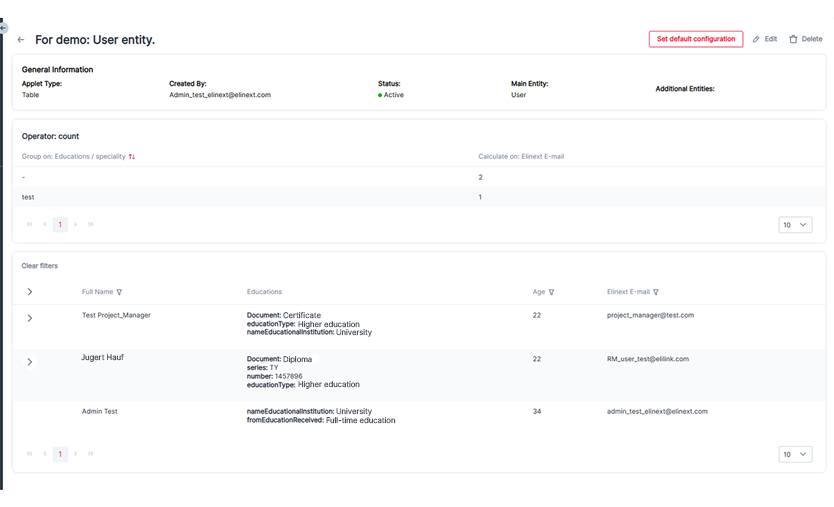
- creating tables that accumulate data in one place
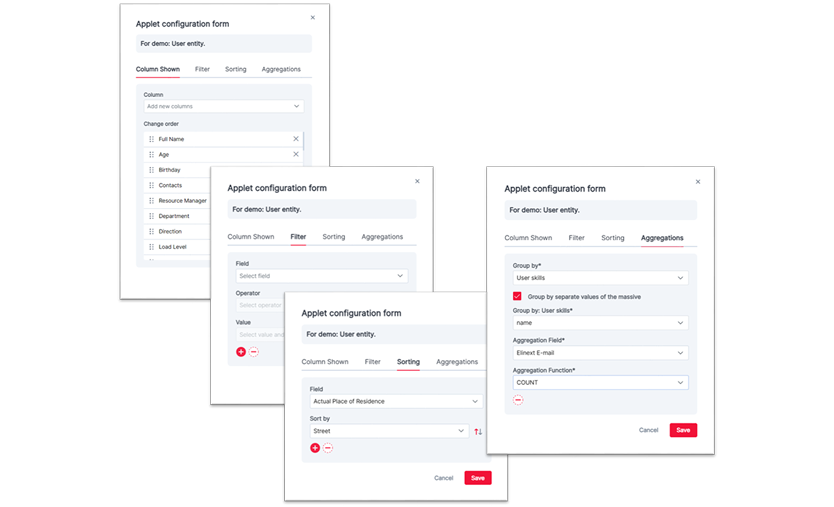
- managing the display and order of existing fields
- configuring extended filters and sorting parameters
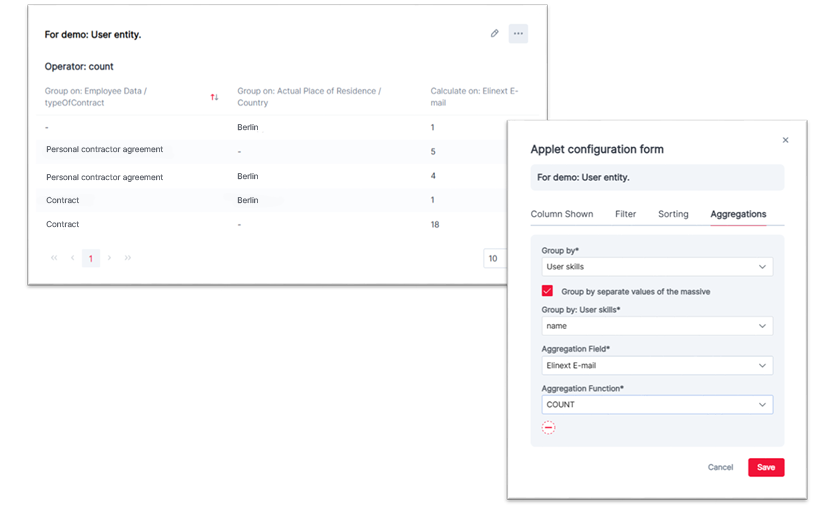
- applying aggregations within filtered data
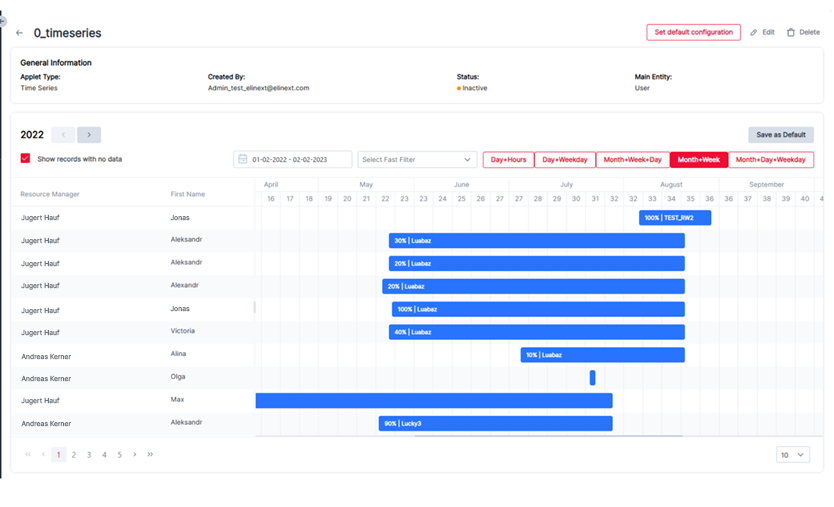
- creating Gantt charts for better data visualization
- creating and managing dashboards for easy data perception
- supporting different data displays, with tables available now and more formats planned
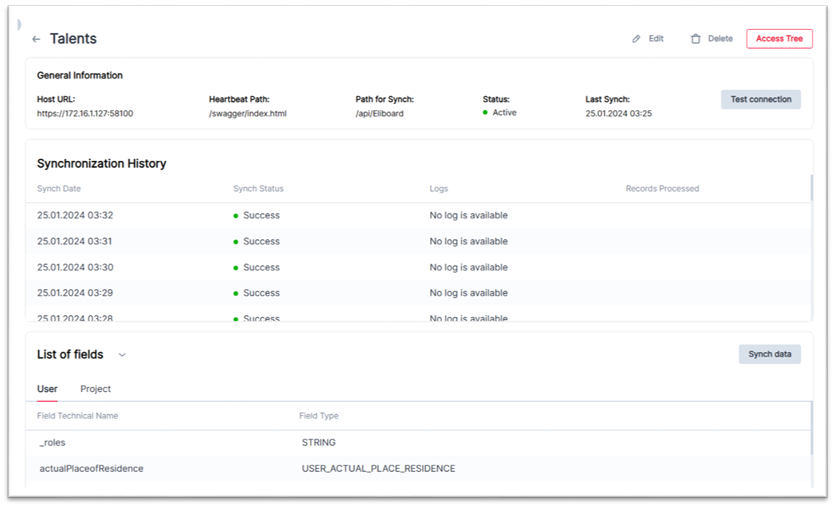
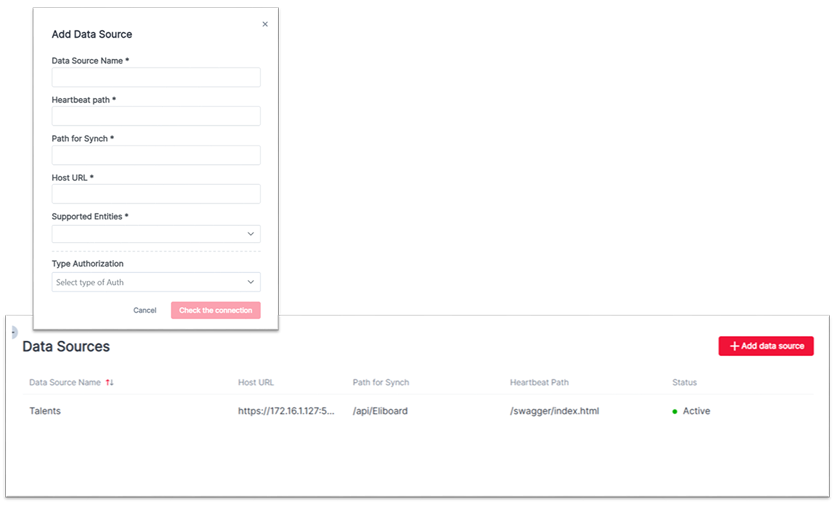
- creating new data sources for receiving new fields
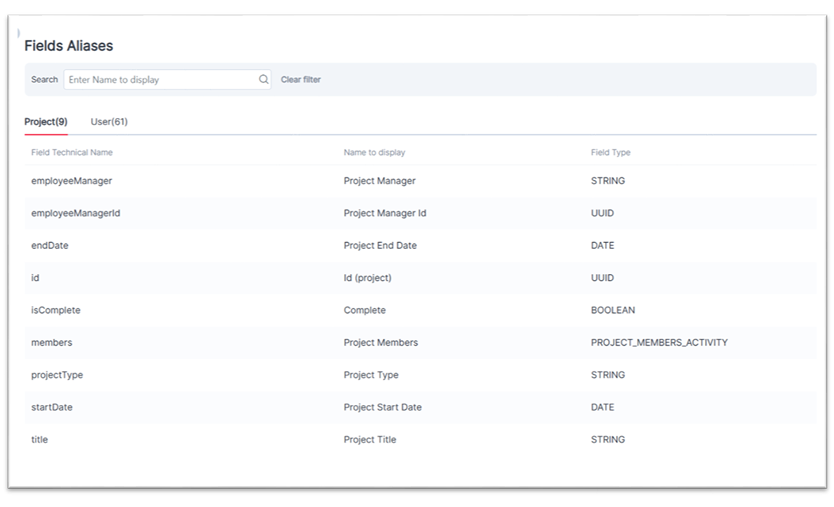
- assigning readable names for received fields
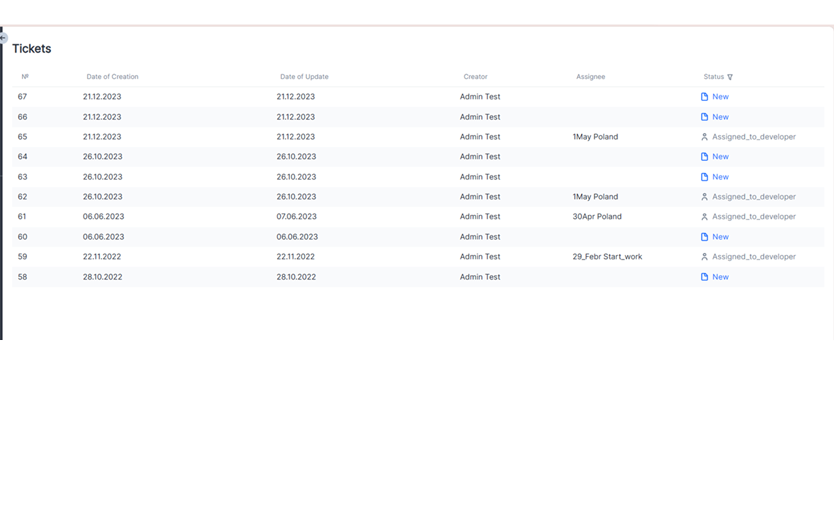
- dealing with problem tickets and their lifecycle
We got a single source of accumulated data for fast reports as the project was up for realization.
Challenges
The reason for starting the project was the necessity to facilitate resource management and to create one source of accumulated data for fast reports. This was presumed to save time on searching for pieces of information in different places.
Regarding the processes, the main challenge was to maintain a continuous implementation process in the conditions of team rotation. It is a common issue with internal projects, as commercial projects tend to be prioritized.
Maintaining knowledge transfer during team rotation was achieved with the following measures:
- Confluence pages with crucial technical information for new developers.
- Comments explaining solutions for complex technical tasks.
- Interlinked tickets for easier issue investigation.
- Dev-to-dev knowledge transfer meetings during team member changes.
- Peer code review when possible.
Cross-System Access Management Complexity
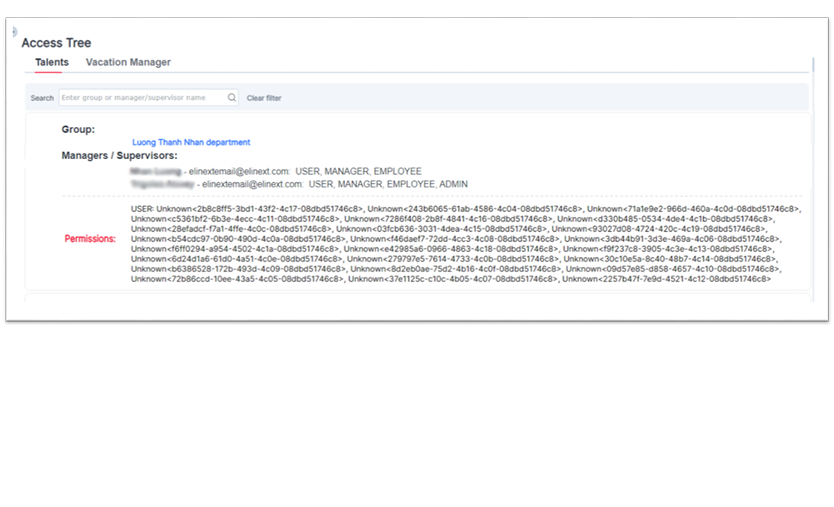
Integration was complicated by different access schemas across several systems.
Additional difficulty came from complex fields and cross-entity applets.
Implementing Aggregation Functionality in a Non-Relational Database
The team needed to implement aggregation features on MongoDB, a non-relational database.
The challenges were overcome through extensive research and development.
Refactoring and Rewriting Due to Evolving Requirements
Initial simple component designs became insufficient as the functionality expanded.
Components had to be refactored and rewritten to support complex fields, nested objects, and advanced filtering configurations.
Process
A Kanban-like methodology was used on the project, as it best suits open-ended internal projects with team rotation.
From the technical point of view, many parts of the functionality were new to the team and required deep investigation, including aggregation on a non-relational database, filtering on complex fields, cross-system access management, and cross-entity applet issues.
The development process was flexible to meet requirements that often changed because of numerous dependencies and limitations.
There were several versions of the product, with more versions planned.
Version 1
The project was initiated in January 2021. The team faced challenges with the permissions schema realization, and the first release took place in March 2023 after several team rotations.
The released version included the base functionality of table applets, simple filtering, and sorting. The access management system and integration with one data source were also ready.
Version 1.1
Released in July 2023.
The intermediate version included bug fixing, filtering improvements, and better representation of large values.
Version 2
Released in November 2023.
The version included new aggregation functionality, a more complex filtering component for working with complex fields and arrays, alias improvements, UI/UX improvements, quick filters, CV download functionality, and filtering and sorting on hidden fields.
After this release, the application could support real management and analytical work. Access management was also significantly improved.
Version 2.1
Released in January 2024.
The intermediate version included bug fixing and additional functionality: further UI/UX improvements, a default dashboard, column filters, and navigation to an employee profile in the Talents system right from the applet.
Version 3
Version 3 was planned to add a Time Series applet type, further code and UI/UX improvements, dashboard ordering changes, custom column filters, applet descriptions, and a new data source based on another internal software product, Vacation Manager.
A large amount of backend work was also planned to automate processes that had previously been done manually.
The project coordination, processes, team load, and ticket distribution are conducted by the business analyst.
Solution
There are two main modules: the user module and the admin module.
User Module
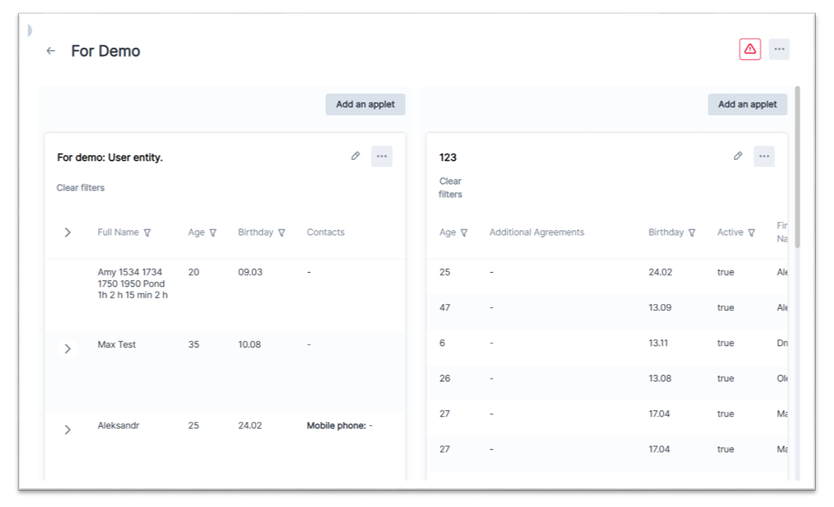
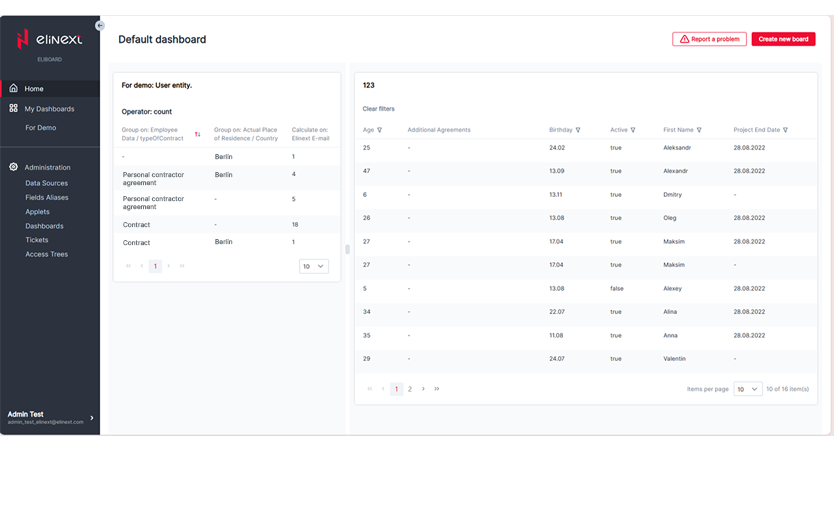
This part of the system is available to Elinext employees. The main functionality is dashboards. Any dashboard can be supplemented with applets that have been created and published by the Administrator of the system. The user can configure dashboard representation and each applet according to their needs.
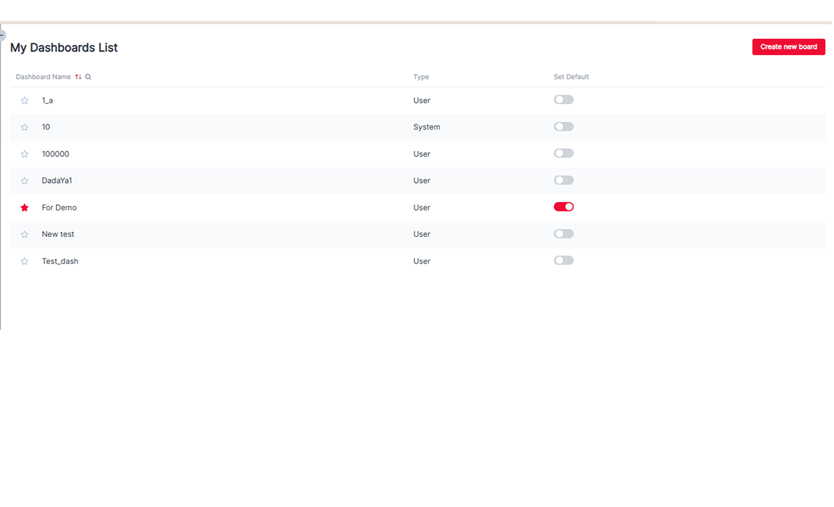
The home page lets each user choose the most important dashboard to show by default. My Dashboards shows user and system dashboards, supports favorites, sorting, custom ordering, and creating new dashboards.
Each dashboard page can be configured according to user goals: change layout, add, delete, and move applets on the board. Each user applet can be configured independently. The applet configuration form offers flexible means for data management.
Administrator Module
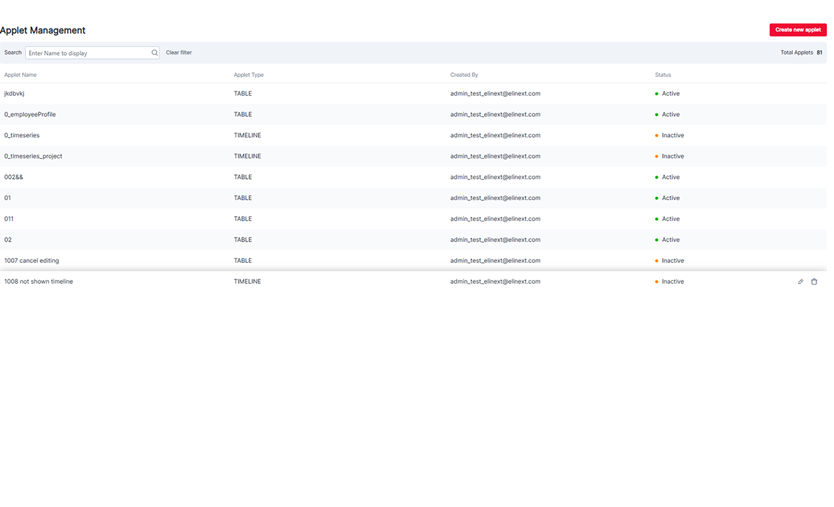
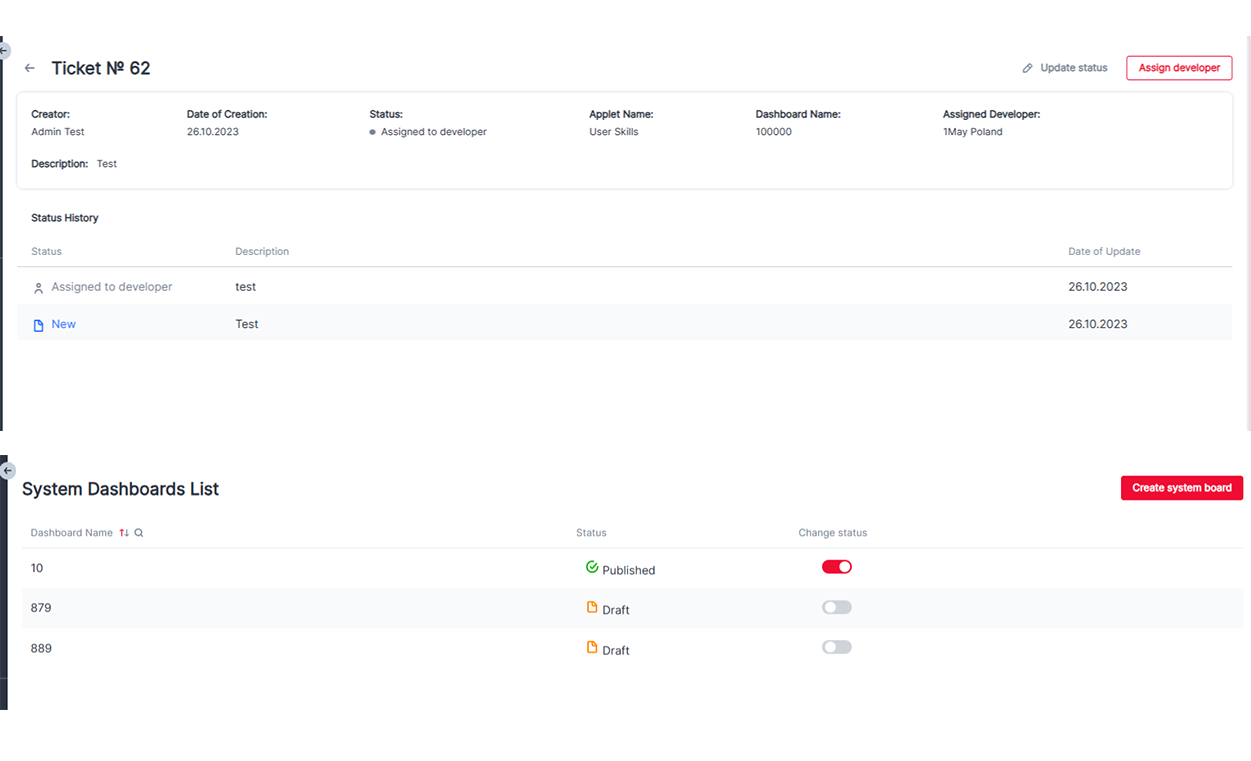
The Admin prepares applets and publishes them for common use. The module also includes support tasks, system dashboards, problem handling, and integration information.
Here is the list of features accessible by admins:
- Data sources list
- Data source details page
- Fields aliases
- List of applets
- Applet details page
- Type of applets
- System dashboards
- Tickets
- Ticket details page
- Access Tree
The project is still in progress, and some features, user experience improvements, and code improvements are under implementation. For example, it is planned to add a possibility to present aggregation results as pie or bar charts.
Results
The end product is a tool for simplifying the job of resource managers and their communication with employees. It is an internal ongoing project with no defined end time.
From a professional developer's growth point of view, each team member could improve their expertise in different technologies, access management variants, filtering and aggregation functionality, charts, and a non-relational database.
The solution is a viable software system that is already in use in our company and is being constantly improved when we have work capabilities. Versions 3 and 4 of the system are planned. Further ideas and requirements may occur and will be implemented.